 Olivia
Your digital host
under your own name
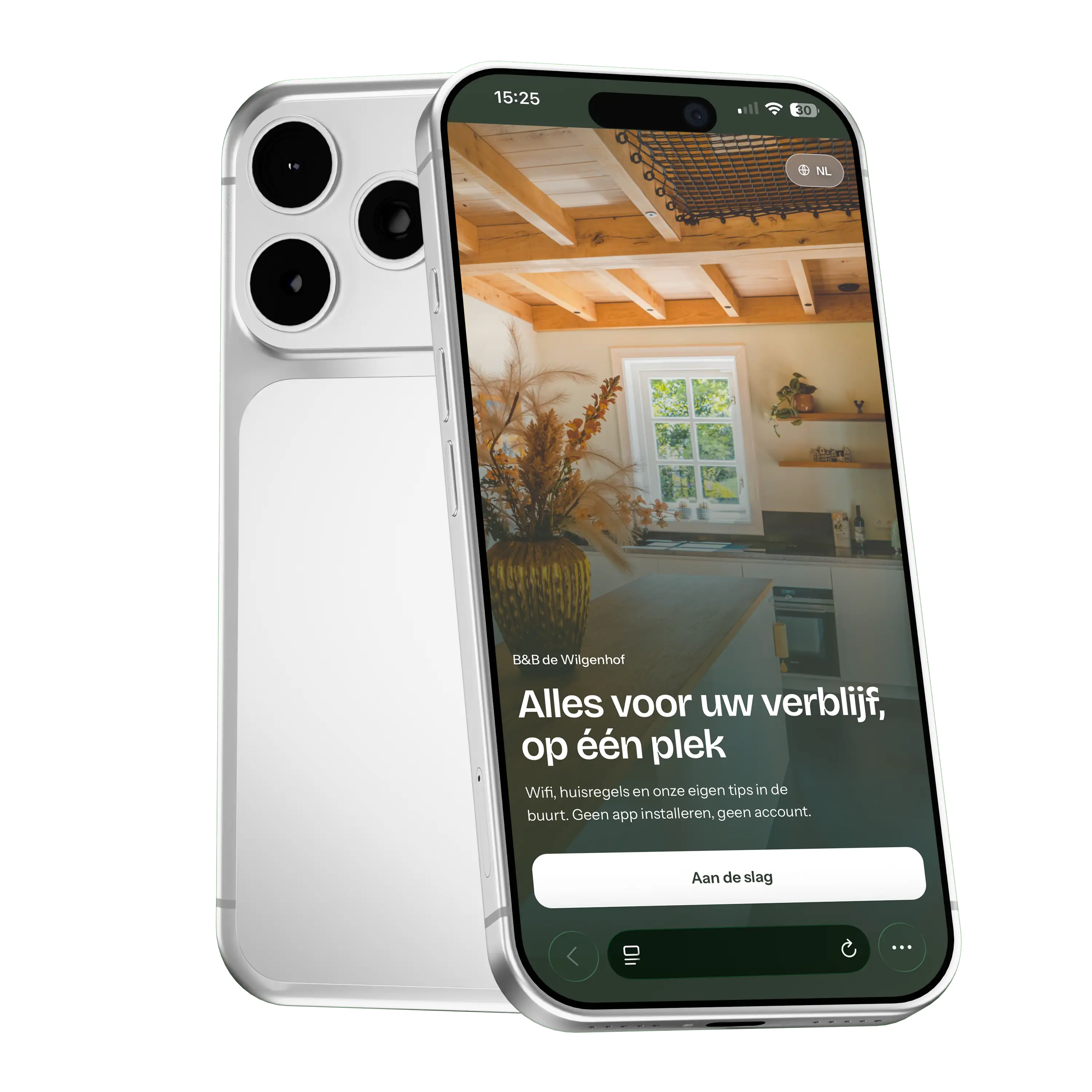
Guests find the Wi-Fi, the check-in time and your favourite places themselves. You get fewer calls, and they feel better looked after.
Nothing to download. Your guest scans a QR code and they are in. See a real app
Works on any phone, nothing to install




Live in three steps
Nothing to install and nothing to learn. We set it up; you fill in your own words.
We set it up
You get an app in your own colours, with your logo and on your own address. We put the structure in place, so you never start with a blank screen.
You add your own words
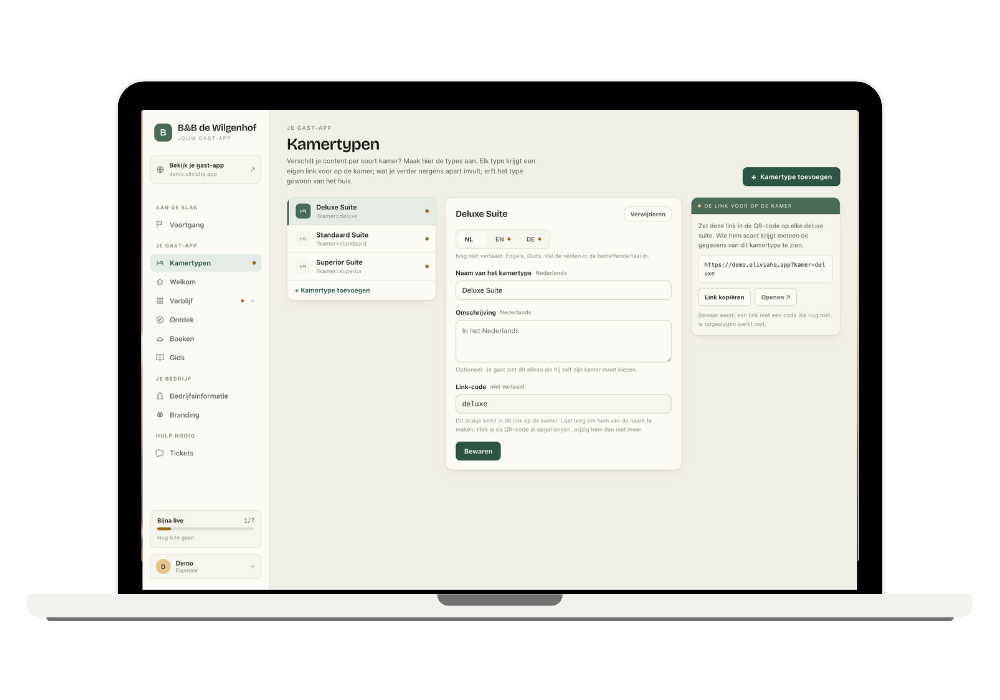
In your dashboard you change everything: Wi-Fi, times, house rules, your favourite restaurants. A checklist shows what is still missing.
You put up the QR code
In the room, by the front door, in the welcome folder. Your guest scans it and has everything at hand, in their own language.
Five reasons to look past a folder on the table
A printed guest book is out of date the moment it is printed. This is not.
Fewer repeat questions
The Wi-Fi, the check-in time, how the sauna works. Exactly the questions you answer ten times a week are already in there. That leaves time for the conversations that matter.
Always current
New password or different times? Change it once and every guest sees it straight away, including those who already checked in.
In your guest’s language
Dutch, English and German. The app opens in the language your guest knows.
You stay reachable
Every screen has a button to WhatsApp, with the question already filled in. If your guest is stuck, they reach you in two taps.
Under your name
Your colours, your logo, your address. Nowhere does it say we built it.
Everything your guest looks for, in one place
You decide what to show. What you leave empty does not appear.
Wi-Fi and practical details
Network and password copied with one tap, plus check-in, check-out and parking.
House rules
Short and friendly. Your most important agreements, not a list of twenty.
Tips nearby
Your favourite restaurants, walks and places, with route and distance.
Booking by WhatsApp
Breakfast in bed, a sauna, bike hire. Your guest taps and you get a message.
Guides
How the heat pump, the fireplace or the coffee machine works, with a photo.
Help and emergencies
Doctor, out-of-hours clinic and hospital. The emergency number is there by default.
Different room, different details
Does your suite have its own check-in time or an extra house rule? Then you only fill in that difference. Everything else the room inherits from the house, so nothing is entered twice.
- One QR code per room type, not per room
- What you do not set separately is correct everywhere
- Works as well with two room types as with ten
Questions we get often
Do my guests have to download anything?
No. They scan a QR code or open a link, and the guide is there. A guest can add it to their home screen, but they do not have to.
How does a guest get in?
Without a password. They only fill in their name and the dates of their stay, and the guide opens. That name stays on their own phone; we do not keep it.
Can I change it myself?
Yes. You get your own dashboard where you edit every text, photo and tip. What you change appears in the app straight away, including for guests already staying.
Which languages?
Dutch, English and German — in every package, including Core. The app opens in your guest’s language and they can switch themselves.
Does Olivia’s name appear in my app?
On Core there is a small mention at the bottom. From Plus onwards it is gone and your guest sees only your name.
I have several room types. Is that possible?
Yes, with the Max package. You fill in what differs per room type, for example a different check-in time for the suite. Every room inherits the rest from the house, so nothing is entered twice.
Will I lose contact with my guests?
No, rather the opposite. What falls away are the questions you answer again every week. What stays is that your guest reaches you in two taps: every screen has a button to WhatsApp, with their question already filled in. At the bottom of the guide it literally says ‘Question not answered here? Message your host’.
Can I stop?
Yes, monthly. You are not tied to anything.
See it for real
Half an hour online, walking through a real app together. No sales pitch, just a look at whether it suits you.
Book a demo